
Imagine describing the app you want in plain English — “a booking page for my salon with time slots, reminders, and online payments” — and watching an AI turn that description into working software. That is the core promise of vibe coding, one of the most talked-about shifts in how software gets built today.
Vibe coding is a way of creating software by telling an AI what you want in natural language and letting it generate much of the code for you. Instead of typing every line yourself, you describe the goal, review what the AI produces, test it, and guide it with follow-up prompts until the result works. It dramatically lowers the barrier to prototyping: founders, designers, creators, and curious beginners can now build real software without years of programming training.
But vibe coding is not magic, and it is not the end of engineering. A vibe-coded app can look finished while hiding broken logic, security holes, or a structure nobody can maintain. This beginner’s guide to vibe coding gives you the full, honest picture: what vibe coding means, how the workflow operates, which tools to use, how to write better prompts, where it shines, where it breaks, how to keep it secure, and the best practices that separate a fun experiment from software you can trust.
Whether you are a complete beginner exploring AI-assisted software development for the first time, or a developer curious about AI-first workflows, this vibe coding tutorial will help you start with confidence — and with realistic expectations.

What Is Vibe Coding?
Vibe coding is an AI-assisted development approach where a person communicates a product idea, feature request, or bug fix in natural language, and an AI system generates or modifies the code. The AI may generate new files, edit multiple existing files, explain errors, run tests, and suggest fixes — all guided by your prompts.
The term usually implies focusing primarily on the desired outcome rather than manually writing and understanding every line of code. You care about what the software does; the AI handles much of the how. But there is an important distinction every beginner should learn early: “making an app work” is not the same as building software that is reliable, secure, maintainable, and scalable. A demo that works on your screen is only the first step.
Successful vibe coding is an iterative conversation, not a single wish. You describe what you want, the AI generates code, you test the result, you give feedback, and the AI refines its work. This describe-generate-test-refine loop — repeated dozens of times — is the real vibe coding process, and getting good at it is what separates productive users from frustrated ones.
How Vibe Coding Started
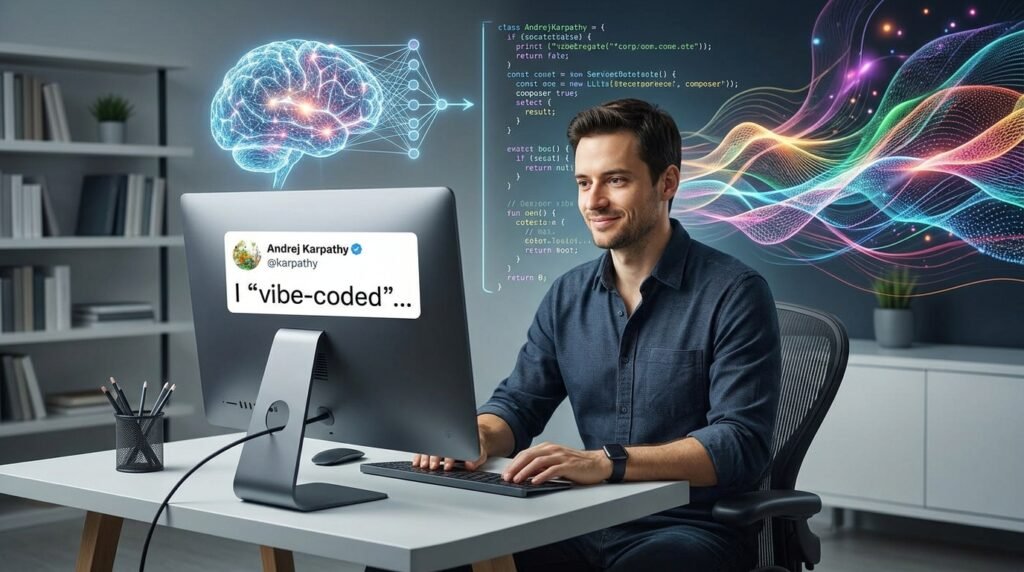
The term “vibe coding” was popularized by AI researcher and programmer Andrej Karpathy in February 2025. Karpathy — an OpenAI co-founder and Tesla’s former director of AI — described a new way of programming in which he would give natural-language instructions to an AI coding system instead of writing every implementation detail manually.
His original framing was deliberately playful. He talked about “fully giving in to the vibes,” accepting the AI’s output, and fixing problems with follow-up prompts rather than diving into the code himself. The phrase captured an intentionally relaxed approach: trust the flow, iterate on the result, and let the model do the typing.
The term spread quickly because the timing was right. By early 2025, generative AI tools had become genuinely capable of creating working interfaces, scripts, websites, and application features from high-level requests. Developers were already experimenting with AI-generated code; Karpathy simply gave the practice a name that stuck. Within weeks, “vibe coding” was everywhere — it was listed by Merriam-Webster as a trending expression and later named the Collins English Dictionary Word of the Year for 2025.
It is worth noting that modern usage of the phrase varies. Some people use “vibe coding” to mean casual, prompt-to-app building with minimal code review — the pure, original vibe. Others use it more broadly to mean any AI-assisted software development. In this guide, we use the practical middle ground: describing intent in natural language while still reviewing, testing, and owning the result.
What Makes Vibe Coding Different From Traditional Coding?
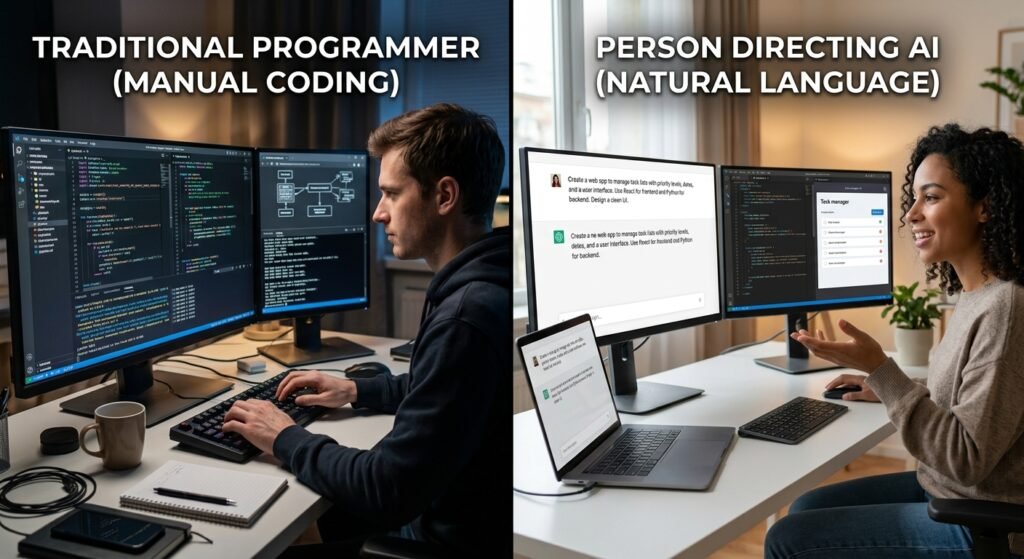
Traditional programming usually starts with manually designing logic, data structures, architecture, and implementation details. A developer decides how the system should be organized, then writes code line by line to make it real. The developer’s understanding of the code is deep because they wrote it.
Vibe coding flips the starting point. It begins with product intent: what the user should be able to do, how the interface should feel, and what rules the app must follow. You describe the destination; the AI charts much of the route. Instead of writing code line by line, AI can generate larger units at once — entire components, pages, database schemas, tests, and integrations.
This changes the developer’s role. With vibe coding, more of your time goes toward specification (saying precisely what you want), review (checking what the AI produced), debugging (finding what went wrong), product decisions, and quality control. You become a director rather than a typist.
But here is the critical point: vibe coding is not the same as skipping engineering. It changes where much of the engineering effort happens. The judgment that used to go into writing code now goes into describing requirements clearly, evaluating AI-generated components, testing edge cases, and deciding what is safe to ship. The discipline does not disappear — it moves upstream into prompts, reviews, and verification.
How Does Vibe Coding Work?

The vibe coding workflow is a loop rather than a one-time prompt. You define the goal, provide context, generate changes, validate the results, and improve them — then repeat. An AI tool may work inside a code editor, a browser-based app builder, a terminal, or a repository-connected coding agent, but the rhythm is the same: describe, generate, test, give feedback, and refine.
The amount of autonomy varies by tool. Some assistants suggest a few lines of code at a time; others can plan and edit dozens of files, run commands, and fix their own mistakes. More autonomy is not automatically better — it just means you need stronger review habits.
The single most important workflow habit is to work in small, reviewable changes. Do not ask the AI to build an entire complex system in one request. Ask for one feature, one page, or one endpoint at a time, so you can inspect each step and catch problems early. The six steps below form a practical starting point for beginners following this iterative AI development methodology.
1. Describe Your Idea and Requirements
Every vibe coding session starts with a plain-language description of the problem the application should solve. Before you touch any tool, answer a simple question: what will this software do for someone, and why does that matter?
Identify your target user — customers, employees, students, administrators, or just yourself. Then list the main actions they should be able to complete in the first version. Keep this list ruthlessly short. A good first version does three to five things well, not thirty things poorly.
Describe the desired output concretely: a landing page, a dashboard, a booking form, a task tracker, an automated report. Vague ideas produce vague software, so name the thing you are building.
Finally, include success criteria — the test your app must pass. For example: “A user can create an account, add a task, mark it complete, and see a weekly summary.” Writing software requirements for AI in this format gives both you and the AI a finish line. If you cannot describe what “done” looks like, you are not ready to prompt yet.
2. Give the AI Context
AI coding tools are powerful, but they cannot read your mind. Context engineering — supplying the right background — is often the difference between a useful result and a frustrating one.
Tell the AI which technologies, framework, database, design system, or hosting platform the project uses. Share relevant existing files, folder structures, API documentation, database models, and coding conventions. If your project has rules, state them explicitly: “do not change the authentication flow,” or “use the existing Tailwind component styles.”
Explain business rules the AI cannot infer. It does not know your subscription limits, approval steps, user roles, or data-retention requirements unless you say so. These invisible rules are where most AI-generated features quietly go wrong.
One hard rule: never send confidential data, private keys, production credentials, or sensitive customer information into an AI tool. Use placeholder data and test accounts during development. Secure AI prompting starts with keeping secrets out of the conversation entirely — we will cover this in depth in the security section.
3. Generate the Code
When you are ready, ask the AI to propose a plan before it edits files — especially for multi-file features or major refactors. A short plan (“here is what I will change and why”) lets you catch misunderstandings before they become code.
Request the implementation in small pieces: one page, one API endpoint, or one database change at a time. Ask the AI to state which files it will create or modify and why, so nothing changes mysteriously. Request readable code with meaningful names, comments where necessary, and consistency with your existing project.
Crucially, ask the tool to generate more than the “happy path.” A form that works when everything is entered correctly is only half a feature. Ask for related tests, validation, error states, empty states, and loading states. Small increments of AI-generated code, each reviewed, beat one giant generation every time.

4. Review and Test the Result
Never accept AI-generated code blindly. Review the generated diff to understand what changed before you accept or merge it. If you cannot explain what a change does, ask the AI to explain it — that is part of the process, not a sign of failure.
Run the application locally and manually test the most important user journeys. Click through the real flows a user would take. Check for errors in the browser console, terminal logs, the build process, and network requests. Ask the AI to explain unfamiliar code, identify the assumptions it made, and point out possible edge cases.
Treat a successful build as only the beginning. Code can compile and run while still being incorrect, insecure, or confusing for users. “It builds” and “it works correctly” are very different statements. Your vibe coding testing process should verify behavior, not just the absence of error messages.

Table of Contents
5. Refine the Application
Refinement is where vibe coding earns its keep. Give precise feedback based on observed behavior, not vague impressions. “The form submits twice when the user presses Enter” is actionable; “the form feels buggy” is not.
Improve one concern at a time: functionality, then design, then accessibility, then performance, then copy, then error handling. Trying to fix everything in one prompt produces muddled results.
Ask the AI to compare the current implementation against your original requirements and list what is missing — this catches the quiet scope gaps that humans overlook. Use screenshots, error messages, sample input, and expected output to make your feedback concrete. Then repeat the build-test-feedback loop until the feature meets a clear acceptance checklist. Iteration is the method; the checklist is how you know when to stop.
6. Deploy and Maintain the Application
Shipping is a separate skill from building. Deploy first to a preview or staging environment instead of releasing untested AI-generated changes to all users at once. A staging URL lets you — and a few trusted testers — verify the real thing before it matters.
Store configuration values and API credentials securely through environment variables or a secrets-management system, never hard-coded in files. After launch, monitor logs, errors, uptime, performance, and user feedback. AI-generated code deserves the same operational attention as human-written code.
Keep dependencies updated, and review AI-generated upgrade changes rather than accepting them blindly — a “routine” library update can break things. Finally, plan for maintenance: document the project, keep source control clean, and create a process for fixing issues after release. A deployed app is a living app, and the vibe coding release process does not end at launch.
What Do You Need for Vibe Coding?
Vibe coding requires more than an AI subscription. The tool is only one part of the workflow — a clear problem, structured communication, and a verification process determine most of the outcome. Beginners can absolutely start with limited technical experience, but basic software concepts become increasingly valuable as projects grow in size and seriousness.
Think of it as a readiness checklist rather than a shopping list. The essentials below cover what you need before you begin: the right tool, a well-defined problem, prompting skill, foundational knowledge, and the safety nets of testing and version control. Start with a low-risk personal project or prototype before handling anything business-critical, and treat each item below as a skill to build over time.

An AI Coding Tool
Your first decision is choosing an AI coding tool that matches how you work. The main options are a code editor assistant (AI inside your editor), a browser-based app builder (describe an app, get a deployed result), a command-line agent, or a repository-aware agent that can work across your whole codebase.
Look for features that support the full workflow: code generation, chat, file editing, test generation, debugging help, and version-control integration. Check whether the tool supports your preferred programming language, framework, and deployment environment — a tool optimized for React may be a poor fit for a Python data project.
Pay close attention to privacy controls. Review the tool’s data-retention policy and settings for excluding sensitive files from AI context before you connect it to anything private. And start with a free tier or a small pilot project before committing an important production codebase to any new platform. Pricing and capabilities change frequently in this space, so evaluate tools against your current requirements rather than last year’s reviews.
A Clear Idea or Problem to Solve
The most common beginner mistake is asking the AI to “build something cool” with no real problem behind it. Define the user problem before asking the AI to choose screens, data structures, or features. A tool without a job produces software without a purpose.
Write a simple one-sentence product statement, such as: “Build a tool that helps freelancers track invoices and payment status.” Then identify the smallest useful version of the product — the minimum viable idea — instead of trying to recreate a complete platform immediately. List what the first version must do and explicitly note what can wait until later.
Finally, decide how you will know whether the result is successful. Time saved? Fewer manual steps? Better visibility into your data? A completed user task? Vibe coding success metrics do not have to be fancy, but they have to exist — otherwise you will iterate forever without knowing if you are done.
Good Prompts and Context
Prompting is the core skill of vibe coding. Good prompts resemble lightweight product requirements: they specify the desired user outcome, not just a vague request to “make an app.”
Include relevant technical details, project constraints, input data, expected output, and edge cases. State what the AI must not change, remove, expose, or assume — negative instructions are often more valuable than positive ones. For tasks that could affect multiple files or important systems, ask the AI for a plan and an explanation before it writes code.
Remember that a long prompt is not automatically a good prompt. Relevant context beats unnecessary detail every time. Treat prompting as a skill that improves through testing, clarification, and iteration — your tenth prompt on a project will be dramatically better than your first, because you will understand the problem better.
Basic Understanding of Software Development
You do not need a computer science degree to start vibe coding, but coding literacy makes everything easier and safer. Learn the core concepts: frontend (what users see), backend (the logic and servers behind it), database (where data lives), API (how systems talk to each other), authentication (who users are), deployment (how code goes live), and environment variables (where secrets are stored).
Understand the difference between a visual interface and the business logic or data systems behind it — an AI can generate a beautiful dashboard that calculates everything wrong. Learn to read error messages, inspect browser developer tools, and use basic command-line commands. These three skills alone will resolve a large share of the problems you encounter.
Perhaps most importantly, know enough to recognize when a proposed solution seems risky, overcomplicated, or unrelated to the requested task. That judgment is your safety net. Build it gradually by asking the AI to explain the code it creates in beginner-friendly language — every explanation is a small lesson.
Testing and Version Control
Two safety nets separate casual experimenting from responsible building: testing and version control.
Use Git or another version-control system from the very beginning, so every change can be tracked and reversed. Commit small, logical changes with clear messages instead of mixing unrelated work into one large update. Before letting an AI agent loose on your code, commit a stable starting point — it is your “undo” button for the entire project.
Create a test checklist for important features: expected behavior, invalid input, and error conditions. Use automated tests where possible, but supplement them with manual testing of real user flows — clicking through the app yourself catches what scripts miss. And create branches or preview environments for experiments, so AI-generated changes never accidentally break the live application your users depend on.
Popular Vibe Coding Tools
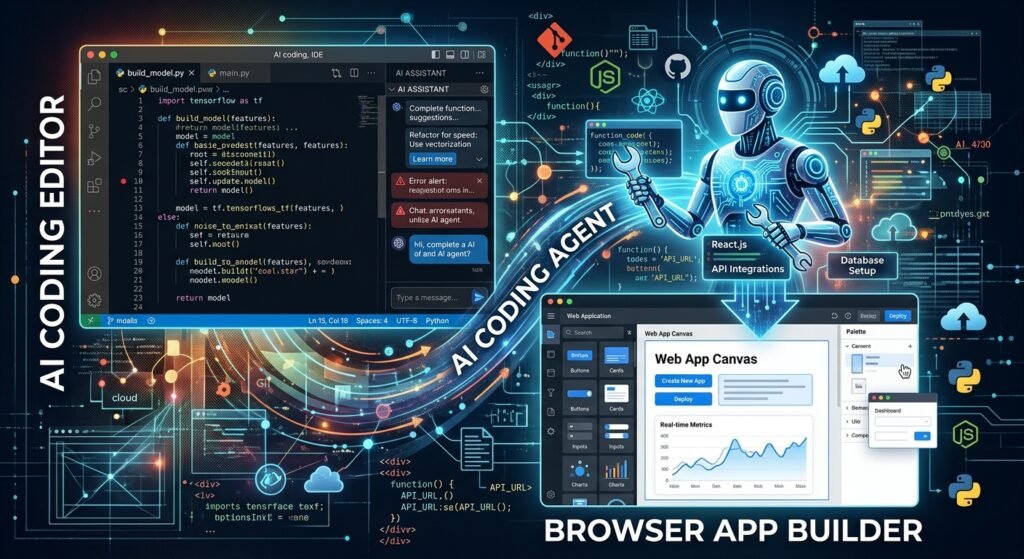
Vibe coding tools generally fall into three groups: editor assistants that help you write code, app builders that generate applications from prompts, and autonomous or semi-autonomous agents that can plan and execute multi-step tasks. Product capabilities and pricing change frequently — in 2026 the leading names include GitHub Copilot, Cursor, Replit, Lovable, Bolt.new, v0, Claude Code, and Codex-style agents — so evaluate tools against your current requirements rather than hype.
No single tool is “best” for everyone. The right choice depends on your experience level, project type, privacy needs, and how much control you want to keep. A practical approach: test the same small prompt in two or three tools and compare the generated results. You will learn more from one afternoon of comparison than from a week of reading reviews.
AI Code Editors and Coding Assistants
AI code editors and coding assistants live inside your development environment, where you can inspect and modify code directly. They typically provide autocomplete, code explanations, chat, debugging assistance, refactoring, and test generation — AI help layered over a workflow you control.
GitHub Copilot is the most widely adopted example. It works within existing editors such as VS Code, offering inline suggestions, chat, multi-file edits, and increasingly agent-oriented workflows. It is a natural fit for teams already invested in the GitHub ecosystem.
Cursor is the leading example of an AI-first editor, popular for codebase-wide edits and project-level context. It behaves like a familiar editor (it is built on VS Code foundations) but is designed around AI interaction from the ground up, including agent modes that can plan and execute changes across many files.
Choose this category if you want AI help while retaining close control over files, source code, and architecture. It is the best fit for developers working in existing codebases and for anyone who wants to learn what the AI is actually doing.
AI App Builders
AI app builders are browser-first products that generate interfaces and full-stack applications from a written brief. They often combine frontend generation, databases, integrations, hosting, and deployment in a single workflow — you describe the app, and you get a live URL.
Replit offers a browser-based IDE with its Agent mode that can build and deploy applications, including databases, without any local setup. It is popular with students, beginners, and rapid prototypers who want everything in one place.
Lovable focuses on generating polished, design-forward web applications from prompts, and has become one of the highest-profile tools for non-developers building real products. Bolt.new (from StackBlitz) similarly turns prompts into full-stack applications running in the browser, with hosting and deployment built in. Vercel’s v0 specializes in generating UI components and interfaces from descriptions, fitting naturally into React and Next.js workflows.
Recommend these tools for prototypes, internal tools, simple customer-facing apps, and anyone who does not want to configure a local development environment. But remember the warning: generated applications still need testing, code review, access-control checks, and a plan for long-term ownership. A live URL is not the same as a finished product.
AI Coding Agents
AI coding agents are a step beyond assistants: systems that can break a task into steps, edit files, run commands, test code, and report results. Instead of suggesting code for you to apply, they execute a plan and show you what they did.
Claude Code (Anthropic’s terminal-based agent), Codex-style agents, Cursor’s agent modes, Aider, and Devin are frequently discussed as repository-level or task-execution agents. They excel at repetitive changes, bug investigations, migrations, documentation, and scoped refactors — work that is well-defined but tedious.
The key principle: match autonomy to risk. Allow limited permissions for low-risk tasks, and require human review for anything touching sensitive data, payments, infrastructure, or production systems. Use agents with isolated environments, restricted credentials, clear task boundaries, and review gates before deployment. An agent is a powerful employee — give it the access it needs and nothing more.
How to Choose a Vibe Coding Tool
Start from your situation, not from a leaderboard:
- Choose an editor assistant (Copilot, Cursor) if you already work in a codebase and want help writing, understanding, or refactoring code while staying in control.
- Choose an app builder (Replit, Lovable, Bolt.new, v0) if you want to create a prototype quickly without managing infrastructure from scratch.
- Choose an agent (Claude Code, Codex-style agents, Aider, Devin) if you can define a bounded task and are prepared to review its plan, edits, commands, and output.
Beyond the category, compare practical factors: support for your stack, source-control workflow, testing tools, deployment platform, and collaboration needs. And evaluate privacy and security controls before connecting any tool to private repositories, internal documentation, or production environments. The right vibe coding tool is the one that fits your project, your skills, and your risk tolerance — not the one with the most impressive demo.

How to Write Better Prompts for Vibe Coding
Good prompting resembles writing a lightweight product requirement combined with a technical task description. The AI is only as good as the instructions it receives, and most disappointing results trace back to vague prompts rather than weak models.
Be specific about outcomes, constraints, examples, and acceptance criteria. A long prompt is not automatically better — relevant context is more valuable than unnecessary detail. A useful habit: ask the AI to confirm its understanding and propose a plan before making larger changes. And remember that prompts improve through an iterative feedback loop. You will not find one “perfect” instruction; you will build better prompts by testing, clarifying, and refining.
Describe the Goal Clearly
Start with the user problem and desired result: “Create a dashboard that lets a manager see overdue invoices.” Define the intended user and the main action they must be able to complete. Specify the key screens, features, or workflows that must exist in the first version.
Include examples of successful output — sample content, desired user interactions, or even a rough sketch described in words. Concrete examples anchor the AI far better than adjectives. Avoid vague instructions such as “make it modern” without explaining the design direction, the audience, or the functional goal. “Modern” could mean minimalist, playful, corporate, or high-contrast; the AI will guess, and it will often guess differently than you would.
A practical test: read your prompt back and ask whether a competent human developer could build the right thing from it alone. If not, your prompt needs more clarity before the AI ever sees it.
Provide Technical and Project Context
Tell the AI the project’s language, framework, database, styling approach, package manager, and hosting environment. Without this, the AI will pick defaults that may not match your stack — generating a solution you cannot use.
Share relevant project conventions: file structure, naming patterns, linting rules, and component libraries. Identify existing functions, APIs, data models, or files that the new work must reuse rather than reinvent. Explain integration requirements, such as connecting to Stripe, a CRM, a spreadsheet, or an internal API — including which credentials or test environments to use.
State security, privacy, and compliance constraints before implementation begins, not after. “All user input must be validated on the server” and “never log personal data” are instructions that shape the code from the start; added later, they require rework. Technical context given upfront saves entire rounds of correction.
Break Large Tasks Into Smaller Tasks
The most reliable way to get good results from AI coding tools is decomposition. Start with a feature plan before asking the AI to write code for a large application. Divide the work into independently testable pieces: database design, authentication, interface, API, and deployment.
Complete and validate one step before moving to the next, rather than generating a large unreviewed codebase and debugging it all at once. Use explicit scoping prompts such as: “Implement only the database schema and migration first; do not build the UI yet.” This keeps each task narrow enough that you can inspect the output and identify problems quickly.
Small tasks also make failures cheap. If a scoped prompt produces bad code, you discard one piece — not a week of work. Task decomposition is the closest thing vibe coding has to a guarantee of quality.
Define Requirements and Constraints
Specify required behavior in detail: validations, error handling, loading states, and empty states. These are the parts AI most often skips, because demos look fine without them and users suffer without them.
List nonfunctional constraints: accessibility (keyboard navigation, screen-reader labels), mobile responsiveness, performance targets, and supported browsers. Define permissions and user roles clearly, especially for applications containing private or financial data — “only admins can delete records” must be stated, not assumed.
State restrictions explicitly: “Do not add new dependencies.” “Do not change existing routes.” “Use server-side validation.” Then turn requirements into acceptance criteria that can be checked after the AI completes the task: “Given an empty cart, when the user clicks checkout, then an error message appears.” Checkable criteria turn review from a feeling into a procedure.
Ask the AI to Explain or Review Its Changes
After generation, ask the AI to summarize the change in plain language and identify every modified file. Request an explanation of unfamiliar functions, dependencies, data flow, and security decisions. You are not just checking the work — you are learning the system you now own.
Ask the AI to list the assumptions it made because your prompt or project context was incomplete. Assumptions are where hidden bugs live, and making them visible lets you confirm or correct them. Then request a self-review: ask the AI to check its own work for bugs, edge cases, accessibility problems, performance concerns, and security issues.
Use the explanation to decide whether the implementation is appropriate before you commit or deploy it. If the AI cannot explain its own code clearly, that is a signal — not a failure — that the change needs another pass.
Use Checkpoints and Version Control
Build review into the rhythm of the work. Ask the AI to pause after planning, after implementation, and after tests, so you can review each stage deliberately instead of receiving one giant finished bundle.
Create a Git branch before significant changes, refactors, dependency upgrades, or agent-led tasks. Commit a stable version before experimenting, so you can revert safely if the output goes wrong. Review diffs rather than approving large bundles of generated changes all at once — small diffs are honest diffs.
Use pull requests, preview deployments, and automated checks to create a human review point before release. Checkpoints turn vibe coding from a leap of faith into a controlled process: generate, pause, inspect, decide, continue.
What Can You Build With Vibe Coding?
Vibe coding works particularly well for clearly defined applications with standard patterns and manageable scope — the kinds of software that follow familiar recipes. AI can speed up interface creation, CRUD features (create, read, update, delete), APIs, integrations, scripts, tests, and documentation.
But capability does not guarantee production readiness. The project’s risk level determines how much engineering review is required: a personal dashboard and a payment-handling marketplace are not the same project, even if both were vibe-coded. Beginners should start with a small tool that solves a real recurring problem — real usage teaches faster than hypothetical exercises. The categories below show where AI-generated apps most commonly succeed.
Websites and Landing Pages
Marketing pages are the natural home of vibe coding. Build pages for products, services, portfolios, newsletters, events, and personal brands, generating common sections such as hero areas, feature lists, testimonials, pricing tables, FAQs, contact forms, and footers.
Ask the AI to create responsive layouts that work on mobile, tablet, and desktop screens, and use prompts to establish a visual direction — minimal, editorial, playful, corporate, or high-contrast. Because landing pages are mostly presentational, they are among the safest and most satisfying first projects.
Before publishing, still review the unglamorous essentials: performance (image sizes, load speed), accessibility (contrast, alt text, keyboard navigation), SEO metadata (titles, descriptions), form validation, and analytics. A beautiful page that loads slowly or breaks on phones is not a finished page.
Web Applications
Vibe coding can produce genuine web applications: user accounts, forms, dashboards, data tables, notifications, and multi-step workflows. Common SaaS-style features — task management, note-taking, booking systems, inventory tracking, customer support views — follow patterns that AI tools handle well.
The AI can generate APIs and database interactions for creating, reading, updating, and deleting records. Add role-based access controls, but only after carefully specifying which users may view or modify each kind of data — permissions deserve their own dedicated prompts and tests.
Before treating any AI-generated web app as production-ready, test concurrent use (two users editing the same record), data validation, error handling, and permissions. Web applications carry real user data, so the review bar is meaningfully higher than for a landing page.
Prototypes and MVPs
This is where vibe coding delivers its highest return. Turn an idea into a clickable or working prototype quickly, then validate whether users understand the product, value the feature, and complete the intended workflow. Real user reactions beat months of speculation.
Build only the smallest feature set needed to test your core assumption. Use placeholder data or controlled test accounts when the purpose is early feedback rather than full production use — there is no reason to wire up real payments for a concept test.
Treat the MVP as a learning tool, not as proof that the underlying architecture will support every future feature. Many successful products began as vibe-coded prototypes that were deliberately rebuilt once the idea was validated. The prototype’s job is to answer “should we build this?” — not to be the final build.
Dashboards and Internal Tools
Internal tools are an ideal vibe coding target: the audience is small, known, and forgiving, while the value is immediate. Build reporting dashboards for sales, operations, projects, customer support, finance, or team performance. Create internal forms and workflows that replace repetitive spreadsheets, email approvals, or manual copy-paste tasks.
Connect to approved APIs, databases, CSV files, or spreadsheets to display operational data, and add filters, search, exports, user roles, and audit trails where appropriate. Because internal tools often expose sensitive employee, customer, or business information, prioritize data access controls from the start — “internal” does not mean “safe to leave open.”
The ROI math is compelling: an afternoon of vibe coding that eliminates a weekly hour of manual work pays for itself almost immediately.
Simple Automation and AI Tools
Beyond apps, vibe coding excels at automation. Build scripts that clean data, rename files, generate reports, summarize documents, or send routine notifications. Create AI-powered features such as text classification, content drafting, chat interfaces, or document extraction from PDFs and images.
Use APIs to connect a workflow to email, calendars, CRMs, spreadsheets, or messaging platforms. Add guardrails for the realities of automation: incorrect inputs, duplicate actions, failed API calls, and unexpected model output. An automation that runs twice or acts on bad data can cause real damage, so idempotency (safe to re-run) and error handling matter.
Monitor cost, rate limits, privacy, and failure behavior when your app depends on an external AI service. Automations are quiet until they break — build the alerting before you need it.
Mobile and Other Applications
Start with responsive web apps that behave well on mobile browsers before committing to a native mobile app. A well-built responsive app reaches every device with one codebase, and vibe coding tools are strongest in this territory.
Use AI to scaffold cross-platform mobile interfaces, forms, navigation, and data-driven screens. Beyond phones, the same approach builds browser extensions, command-line utilities, desktop helpers, bots, and lightweight integrations.
Test on real devices, because generated layouts and permissions can behave differently outside a desktop browser — touch targets, viewport quirks, and OS permission dialogs all surprise first-timers. And verify platform-specific requirements early, including app-store policies, push notifications, offline behavior, and device permissions. App stores have rules that no prompt can waive.
Benefits of Vibe Coding
The core advantage of vibe coding is speed — the time from idea to a testable product or feature shrinks dramatically. But the benefit is not merely writing code faster; it is reducing the time needed to explore and validate options. You can try three approaches in the time it once took to build one.
That value is highest when the problem is well defined and the consequences of errors are manageable. And a caution belongs here too: teams still need review and testing, because faster code generation can also produce faster mistakes. The benefits below are real, but none of them remove the need for software engineering discipline.
Faster Prototyping
Turn a written product idea into an interface or early application in hours or days rather than starting from a blank codebase. AI generates the repetitive scaffolding — forms, tables, routing, page layouts, basic API endpoints — that used to consume the first week of every project.
Explore multiple versions of a feature without manually rebuilding each variation. Show stakeholders something tangible earlier, which produces far more useful feedback than abstract discussions and mockups. A clickable prototype focuses every conversation on reality instead of imagination.
Use quick prototypes to test desirability before investing heavily in custom development. The cheapest way to discover that nobody wants a feature is to vibe-code it in an afternoon rather than engineering it over a quarter.
Lower Barrier to Software Development
Vibe coding helps beginners understand programming concepts through interactive explanations and working examples — learning by building beats learning by reading. It enables designers, operators, founders, and subject-matter experts to create simple tools for their own workflows without waiting in an engineering queue.
The need to memorize syntax before experimenting with a software idea largely disappears. And for non-programmers working with technical teams, a working prototype communicates requirements better than any specification document.
Be clear-eyed about this, though: the barrier is lower, not gone. Users still need to define requirements precisely and validate results rigorously. Vibe coding democratizes the start of software development; the responsibility for the finish remains.
Faster Experimentation
Because generation is cheap, experimentation becomes cheap. Generate alternative layouts, workflows, data models, and feature variations quickly, and test product hypotheses with a small working version before building a complete system.
Ask the AI to create experimental branches without disrupting the stable version of the app — version control makes this safe. Quickly investigate integrations, library options, and implementation approaches that would each have required days of research before.
Let user feedback guide the next iteration rather than spending weeks building unvalidated features. Rapid AI iteration turns product development from a series of big bets into a series of small, cheap tests.
More Focus on Ideas and User Experience
When the AI handles repetitive implementation, you spend more time defining the problem, the audience, the workflow, and the user experience. Product thinking replaces boilerplate typing.
Iterate on the details that determine whether software is actually good: labels, forms, onboarding, navigation, empty states, and error messages — refined based on user feedback, not guesswork. Use prototypes to spot confusing steps in the experience before committing to a full build.
Remember the limit, though: AI can generate an interface, but it cannot reliably determine what users actually need without good research and direction. The time you save on code should be reinvested in understanding users, not just in shipping faster.
Easier Collaboration Between Technical and Non-Technical Teams
Vibe coding gives non-technical teammates a way to express requirements through examples, flows, and prototypes instead of ambiguous documents. “Build what I mean” becomes “here is what I mean” — a working draft everyone can react to.
Use AI-generated drafts as a shared starting point for product, design, engineering, and operations discussions. Ask the AI to translate business rules into technical tasks, test cases, and documentation. And have developers explain architectural choices in plain language to stakeholders, with the AI helping to bridge the vocabulary gap.
Maintain clear ownership, however: technical teams should still approve production architecture, security, and deployment decisions. Collaboration improves; accountability should not blur.
Vibe Coding vs Traditional Programming
The two approaches are not mutually exclusive. Most practical teams use AI assistance inside a disciplined engineering workflow — the real question is how much of the work the AI does versus the human, and how rigorous the review is. “Traditional programming” can still include AI tools, as long as developers maintain deliberate control, review, and understanding of the code.
The comparison below summarizes the practical differences. The key question is never “AI or human coding?” but “what level of review and engineering rigor does this project require?”
| Dimension | Vibe Coding | Traditional Programming |
|---|---|---|
| Primary input | Natural-language description of intent | Manually designed logic and architecture |
| Main workflow | Describe → generate → test → refine loop | Design → write → test → debug cycle |
| Speed for early work | Very fast; working prototype in hours/days | Slower start; scaffolding takes real time |
| Developer control | Delegated to AI; control via prompts and review | Direct; every line written deliberately |
| Code understanding | Partial; learned through review and explanation | Deep; built line by line by the author |
| Best use cases | Prototypes, MVPs, internal tools, experiments | Complex systems, regulated domains, scale |
| Main risk | Hidden bugs, security gaps, unmaintainable code | Slower delivery, higher upfront cost |
| Required skills | Prompting, specification, review, testing | Programming languages, architecture, tooling |
The best approach often combines both: fast AI-generated drafts shaped by human design, testing, code review, and deployment practices. Use vibe coding for low-risk experimentation and traditional engineering practices for systems with high complexity or serious consequences.
Limitations of Vibe Coding
AI can accelerate implementation, but it does not guarantee correctness, security, quality, or business suitability. Generated code can look convincing — clean formatting, confident comments — while containing hidden assumptions or flawed logic. The risks grow with application complexity, sensitive data, financial transactions, user permissions, and production scale.
Use AI as a productive collaborator rather than an unquestioned authority. The limitations below should shape real project decisions: what you build with vibe coding, how you review it, and when you bring in deeper engineering.
AI-Generated Code Can Contain Errors
AI can produce code with syntax problems, incorrect imports, invalid API usage, or mismatched data types. More insidiously, it can produce logic that works for a simple example but fails under realistic conditions — the demo works, the real data breaks it.
Generated code may rely on outdated libraries, fabricated methods that do not exist, or incorrect assumptions drawn from documentation. It frequently overlooks validation, error states, empty data, loading states, and unusual user behavior — the unglamorous parts that make software robust.
Reduce this risk the straightforward way: review the code, run tests, and check the feature against explicit acceptance criteria. Every error the AI makes is one you are responsible for catching.
Debugging Can Become Difficult
Debugging is harder when you do not understand the code, architecture, or dependencies the AI introduced. You cannot fix what you cannot follow, and AI-generated systems can be sprawling.
Large AI-generated changes obscure the original source of an error — when fifty files changed at once, which change broke things? Repeatedly prompting “fix it” may create patches that hide symptoms instead of solving the root cause, and the AI may make unrelated changes while attempting a repair, creating new defects.
The defense is process: keep changes small, ask for explanations, use logs and tests to localize problems, and revert when a fix becomes unclear. A clean revert followed by a smaller, clearer attempt beats an ever-growing pile of patches.
Complex Applications Require More Engineering
Large systems need deliberate architecture for data consistency, permissions, integrations, observability, performance, and failure recovery. AI can help implement parts of these systems, but it cannot safely replace technical design and review.
Complex domains — healthcare, finance, legal services, enterprise security, critical infrastructure — require higher assurance than “it seems to work.” Distributed systems, real-time processing, large datasets, and multi-tenant platforms need specialized engineering expertise that no prompt can substitute.
Bring in senior technical review when the cost of a wrong decision is high. Vibe coding can accelerate complex projects, but it cannot carry them alone.
Maintaining AI-Generated Code Can Be Challenging
A working feature becomes expensive if nobody can explain its structure, dependencies, or business rules six months later. AI-generated codebases are particularly vulnerable to this: inconsistent styles across generations make the code harder to navigate and modify.
Missing documentation and tests leave future maintainers — often future you — without confidence when changing the system. Rapidly adding features without refactoring creates technical debt and brittle architecture that slows every subsequent change.
Improve maintainability deliberately: enforce coding standards, document decisions, write tests, and regularly simplify the codebase. Ask the AI to help with this too — it can generate documentation and refactor — but the discipline has to come from you.
AI Can Misunderstand Requirements
The AI only sees the context you provide, and it fills gaps by guessing. Vague requests produce technically valid features that fail the actual business need — the software works, but it is the wrong software.
Ambiguous rules around pricing, approvals, privacy, user roles, and workflows are especially risky, because the AI will optimize for what appears common rather than what is correct for your organization. A generic refund policy or a standard permission model may look right while violating your actual rules.
Reduce misunderstandings with examples, acceptance criteria, edge cases, and explicit “do not” constraints. The more of your real-world rules you write down, the fewer the AI has to invent.
Performance and Scalability Still Require Expertise
A prototype may perform beautifully with ten records and collapse with ten million. AI-generated database queries can be inefficient, unindexed, or ruinously expensive at scale. Poor caching, repeated API calls, oversized client bundles, and inefficient rendering degrade the user experience as load grows.
Scaling is also about more than code: infrastructure, monitoring, capacity planning, rate limits, backups, and incident response. These are engineering disciplines, not prompt tricks.
Test with realistic data volumes and traffic assumptions before relying on an AI-built application for important operations. Performance testing is how you discover, before your users do, that the prototype does not scale.
Is Vibe Coding Secure?
Vibe coding can be used safely — but only when teams treat AI-generated code as untrusted output that requires security review. The major risks are concrete: exposed secrets, insecure dependencies, broken authorization, unsafe input handling, and excessive agent permissions. Security matters even for prototypes, if they are publicly accessible or process real user information.
The safe mindset is simple: never assume generated code is secure merely because it works. A login form that logs you in correctly can still be trivially bypassed; a working app and a secure app are different achievements.
Common Security Risks
AI can generate insecure patterns when the prompt lacks security requirements or when its training examples reflect weak practices. The model reproduces what it has seen most — and much of the code on the internet is not exemplary.
Generated forms and APIs may fail to validate, sanitize, or authorize user input correctly. An endpoint that returns “all orders” instead of “this user’s orders” is a data breach wearing a working feature as a disguise. AI agents with broad repository, command-line, or deployment permissions can perform damaging actions if poorly configured — an agent that can delete files can delete the wrong files.
Dependency suggestions may introduce packages with known vulnerabilities, unclear maintenance, or unnecessary supply-chain risk. And public-facing apps can expose data through unreviewed configuration, access controls, logging, and error handling — verbose error messages alone can leak system details to attackers.
Exposed API Keys and Secrets
This is the most common and most avoidable vibe coding security failure. Never paste production API keys, passwords, private certificates, customer credentials, or database connection strings into prompts. Assume anything you paste into an AI tool could be retained, logged, or exposed.
Keep secrets out of source code entirely. Use environment variables, a vault, or an encrypted secrets manager, and reference them from code without ever writing the values down. Add files such as .env, *.pem, *.key, and credential files to the AI tool’s context-exclusion settings where supported, so they are never sent to the model in the first place.
Scan repositories and pull requests for accidental secret exposure before deployment, using automated secret-scanning tools. And if a credential was committed, pasted into a prompt, displayed in logs, or otherwise shared unintentionally, rotate it immediately. A leaked secret is compromised the moment it leaves your control — there is no “probably fine.”
Vulnerable Dependencies and Generated Code
Every package the AI adds to your project is code you did not write, from authors you did not vet, running with your application’s privileges. Check every new package before adding it: the publisher’s reputation, maintenance status, license, and known vulnerabilities.
Use dependency scanning and software-composition analysis in your development workflow — automated tools that flag packages with published CVEs. Ask the AI to minimize dependencies and explain why each added package is necessary; AI tools tend to reach for libraries when a few lines of standard code would do.
Run static analysis, linting, unit tests, integration tests, and security scans against generated code as a matter of routine. Update libraries regularly, and test updates in a safe environment before releasing them. Your dependency tree is part of your attack surface — treat it that way.
Authentication and Authorization Issues
Two questions govern application security: authentication asks “who is this user?” and authorization asks “what is this user allowed to do?” AI-generated code frequently gets the first half working and the second half wrong.
Do not rely on hidden buttons or client-side checks to protect sensitive data or actions. Anything enforced only in the browser can be bypassed in seconds with developer tools. Enforce permissions on the server for every request that reads, creates, updates, or deletes protected data — no exceptions.
Actively test the boundaries: can an ordinary user access administrator pages, view another user’s records, or call restricted API endpoints directly? Write these as test cases, not assumptions. And use established authentication providers and well-reviewed libraries instead of asking AI to invent a custom security system. Cryptography and session management are places where originality is a vulnerability.
Why AI-Generated Code Needs Security Review
AI-generated code may contain vulnerabilities invisible from a working interface or a passing test suite. The AI omits security controls most often for a simple reason: they were not stated in the prompt and not visible in the immediate code context. A prompt that says “build a login form” produces a login form — not a rate-limited, brute-force-resistant, properly-hashed login form.
Security flaws cluster in edge cases, integrations, configuration, permissions, and deployment settings rather than in obvious UI behavior. The login page looks fine; the password reset flow leaks account existence. The dashboard renders; the API returns other users’ data.
Independent review — by a person, by automated scanners, or both — catches assumptions made by the AI and by the person directing it. Treat code review, automated scanning, and realistic security testing as release requirements for any meaningful application, not as optional extras for “later.”
How to Make Vibe Coding Safer
Safer vibe coding is a set of habits, not a single tool:
- Least privilege everywhere: give AI tools, agents, repositories, cloud accounts, and deployment pipelines only the access they need. An agent that only edits code cannot drop your database.
- Isolate agents: run coding agents in sandboxed or disposable environments, and give CI jobs only the credentials necessary for that specific job.
- Gate every merge: require pull requests, human review, automated tests, and security scans before merging important changes.
- Keep secrets away: keep production secrets and credentials inaccessible to coding assistants unless absolutely necessary.
- Apply standard protections: server-side validation, output encoding, authorization checks, audit logs, backups, rate limiting, and monitoring.
None of this is specific to AI — it is standard secure software development. Vibe coding does not need new security principles; it needs the old ones applied consistently, because the speed of generation makes skipping them tempting.
Best Practices for Vibe Coding
Effective vibe coding combines the speed of AI generation with the discipline of a professional software workflow. Start with projects where experimentation is valuable and the impact of failure is controlled. Build the habit of reviewing every important change, regardless of whether it was written by AI or a human.
Use written specifications, test cases, source control, and staged deployment to make iteration safe. The practices below are cumulative — apply them consistently, and apply more of them as your projects become more valuable or complex.
Start With a Clear Specification
Before prompting, write down the target user, the problem, the core workflow, the key features, and the definition of success. This does not need to be a formal document — a page of clear notes beats a vague idea every time.
Turn vague ideas into user stories: “As a manager, I can approve a leave request and notify the employee.” List required inputs, outputs, error cases, and business rules. Identify what is intentionally out of scope for the first version — saying “not yet” to features is a specification skill.
Give the AI acceptance criteria so it can generate a solution that is easier to evaluate. A spec-first approach to AI development means the AI is implementing your thinking rather than substituting for it.
Give the AI Enough Context
Provide the existing architecture, relevant files, data models, style guidelines, and integration details. Explain which parts of the project are stable and must not be changed — protecting working code from enthusiastic rewrites is a real and common need.
Share examples of preferred code patterns, UI components, or similar features already in the codebase. “Build it like the existing settings page” is worth a thousand adjectives. State the technical stack and operational constraints before implementation begins.
And remove sensitive material from the context: configure exclusions for credentials and private files. Good context is complete, relevant, and clean — everything the AI needs, nothing it should not see.
Build in Small Iterations
Ask the AI to create a plan before it changes multiple files or major system behavior. Then implement one small, testable slice of functionality at a time, and validate each slice before adding the next — rather than debugging a complete unreviewed application.
Keep prompts focused on a single outcome: adding validation to one form, creating one API endpoint, fixing one bug. Small iterations preserve clarity about what caused a new bug or behavior change. When something breaks, you know exactly which slice broke it.
This is the highest-leverage practice in vibe coding. Almost every horror story — the unfixable mess, the mysterious regression — begins with “I asked it to build the whole thing at once.”
Review Generated Code
Inspect diffs before accepting changes, and make sure every modification relates to the requested task. AI tools sometimes “helpfully” refactor unrelated code; unrelated changes are unreviewed risk.
Ask the AI to explain new files, functions, dependencies, and architectural choices. Look for duplicated logic, unnecessary packages, unsafe assumptions, and code that does not follow project conventions. For critical changes — anything around data, permissions, payments, and deployment — have another developer review when possible.
Reject and regenerate unclear code rather than merging it because it appears to work. “It works but I don’t understand it” is a maintenance problem you are choosing to schedule for later.
Test Every Important Feature
Test the normal path as well as invalid input, missing data, permission failures, network problems, and repeated actions (what happens when the user double-clicks submit?). Add automated unit and integration tests for core business logic — ask the AI to generate them alongside the feature.
Test the interface across target devices, screen sizes, browsers, and accessibility needs. Confirm that data is saved correctly and that errors do not create duplicates or corrupt records. And retest affected features after every major AI-generated change or dependency update — regressions are the tax on rapid iteration, and testing is how you pay it deliberately instead of accidentally.
Use Git and Version Control
Initialize a repository before significant work begins and commit a stable starting point. Create branches for new features, experiments, agent tasks, and major refactors — branches are cheap, and they isolate risk.
Write meaningful commit messages that explain what changed and why. Future you (or your teammate) will read them when something breaks. Use pull requests to review diffs, run checks, and discuss decisions before merging, even if you are a team of one — the pull request is a forced pause for review.
Above all, preserve the ability to revert quickly. If an AI-generated release causes a problem in production, “git revert” is a vastly better incident response than “prompt the AI to fix it live.”
Protect Secrets and Sensitive Data
Keep credentials in secure environment variables or a secrets manager — never in code, and never in prompts. Exclude secret files from AI context, and use repository scanning to catch accidental leaks before they become incidents.
Use test accounts and anonymized or synthetic data during development wherever possible. If the AI never sees real customer data, it cannot leak real customer data. Limit who can access production databases, cloud dashboards, deployment keys, and customer data — access should be granted by role, reviewed periodically, and revoked when no longer needed.
Establish an incident response process in advance: how to revoke keys, fix exposure, and notify affected stakeholders. You will hopefully never use it; having it is what makes “hopefully” acceptable.
Know When to Stop Vibe Coding and Use Traditional Engineering
Vibe coding is one method in your toolbox, not a substitute for expertise where the stakes are high. Move to deliberate engineering when the feature handles money, sensitive personal data, medical information, legal decisions, or critical access control.
Bring in experienced developers when performance, reliability, architecture, integrations, or scale become major concerns. Stop expanding a prototype if patching it repeatedly creates unclear, fragile, or unmaintainable code — that is the signal that the prototype has served its purpose and a proper build should replace it.
Use formal design, testing, review, and deployment processes for systems that affect many users or important business operations. Knowing when to graduate from vibe coding to engineering is itself an engineering skill — and often the most valuable one.
Who Should Use Vibe Coding?
Vibe coding can help many types of people, but each group should use it with different levels of autonomy and review. The right approach depends on your skills, your project’s complexity, and your tolerance for mistakes. Early-stage exploration is generally safer than releasing an unreviewed public or business-critical application.
Teams should establish clear ownership: someone owns product requirements, someone owns technical decisions, someone owns security, and someone approves releases. AI can assist all of these roles, but it cannot be accountable for any of them. The audiences below are the ones most likely to benefit — each with guidance on how to use the approach well.
Beginners and Non-Programmers
If you have never written code, vibe coding is an approachable way to learn how applications are structured while building small, personally useful projects. Start with low-risk ideas: a habit tracker, a portfolio site, a study planner, or a simple spreadsheet automation. Nothing with other people’s data, nothing with money.
Ask the AI to explain code and concepts instead of merely generating output — every generation is a potential lesson if you ask “what does this do and why?” Learn essential habits early: Git, testing, environment variables, and reading error messages. These fundamentals compound; the beginners who learn them become the practitioners who ship reliably.
And know your limits: avoid handling payment data, health information, private customer data, or production credentials until you understand the risks involved. Building a personal tool is empowering; handling other people’s sensitive data is a responsibility that requires preparation.
Developers
For professional developers, vibe coding is a productivity multiplier, not a replacement. Use AI to accelerate boilerplate, documentation, test generation, debugging, refactoring, and exploration of unfamiliar libraries. These are the tasks where AI assistance has the highest return and the lowest risk.
Maintain ownership of architecture, code review, security, performance, and deployment decisions. Use agents for bounded tasks with clear requirements, restricted permissions, and reliable verification — and treat every line of generated code as a draft that must meet your existing engineering standards before it merges.
Spend the time you save on higher-value work: system design, reliability, user research, and complex problem solving. The developers who thrive with AI are not the ones who type fastest; they are the ones who direct, verify, and decide best.
Designers and Creators
Designers and creators can use vibe coding to build interactive prototypes that communicate intended user experience far more clearly than static mockups. A stakeholder who can click through a flow understands it in a way no Figma frame can match.
Build portfolios, landing pages, content tools, and simple audience-facing experiences. Specify design systems, spacing, typography, accessibility, and interaction details in your prompts — the AI will follow a design vocabulary if you give it one.
Collaborate with engineers before connecting prototypes to sensitive systems or public production data. Use the generated app as a conversation starter and validation tool, not always as the final production implementation. For designers, vibe coding’s greatest value is often in the conversation it enables, not just the code it produces.
Entrepreneurs and Startup Teams
For founders, vibe coding compresses the most expensive phase of a startup: going from idea to something testable. Validate product ideas, create investor and customer demos, test onboarding flows, and build early internal operations tools — all before hiring or raising.
Focus on the narrowest valuable use case rather than attempting to build every future feature at launch. Use real customer feedback to decide which experiments deserve deeper engineering investment; let evidence, not enthusiasm, allocate your build budget.
Even at the earliest stage, set up the basics: security hygiene, sensible data handling, version control, backups, and clear ownership of the codebase. And plan the transition from prototype to maintainable product before customer expectations and technical debt grow beyond what a prototype can support. The prototype proves the idea; the rebuild scales it.
When Vibe Coding May Not Be the Right Approach
Honesty requires stating the limits plainly. Avoid relying solely on vibe coding for safety-critical systems, high-stakes financial workflows, or highly regulated applications — domains where errors injure people, lose money, or break the law.
Be cautious when requirements are deeply complex, poorly understood, or likely to change without strong product ownership; AI amplifies ambiguity instead of resolving it. Do not give autonomous tools broad access to production infrastructure, customer data, or irreversible actions — no agent should be able to delete, publish, or charge without a human gate.
Use experienced engineers when custom algorithms, unusual performance requirements, or complex distributed systems are central to the product. And choose a more deliberate workflow whenever the team cannot review, test, maintain, and secure what the AI generates. If you cannot verify it, you should not ship it.
Vibe Coding and the Future of Software Development
Vibe coding reflects a broader shift: from AI autocomplete toward tools that understand goals, project context, and multi-step tasks. Future development workflows will likely combine natural-language direction with stronger planning, testing, review, and operational safeguards — the “vibes” maturing into verifiable engineering.
The differentiating skill is increasingly not only writing code, but defining problems precisely and verifying solutions rigorously. The developer’s role is changing toward system design, context setting, review, security, and product judgment. Tools will keep improving, but accountability for software outcomes remains human — and that is unlikely to change.
From AI Coding Assistants to AI Agents
The evolution has been rapid. Early assistants mainly suggested a line or function while a developer wrote the surrounding code — helpful autocomplete. Newer tools read project context, propose plans, edit multiple files, run commands, generate tests, and iterate on failures largely on their own.
This shift speeds up routine work enormously, but it also increases the need for permission controls and review checkpoints. A tool that only suggests text cannot break your infrastructure; a tool that runs commands can. Developers increasingly direct agents through scoped tasks rather than asking for individual code snippets.
The safest emerging workflow combines agent autonomy for execution with human authority for approval and release decisions. Let the agent do the work; keep the judgment.
Context Engineering
If there is one skill that determines AI coding results in 2026, it is context engineering: the practice of supplying AI systems with the right requirements, files, examples, constraints, and current project knowledge. The quality of an AI result often depends more on relevant context than on clever wording — a well-briefed average model outperforms a poorly-briefed frontier model.
Technical context includes architecture, APIs, data models, coding conventions, and test requirements. Product context includes user goals, business rules, edge cases, privacy requirements, and success metrics. Both matter; most failures come from missing one of the two.
Treat project documentation as a strategic asset. Good docs improve human collaboration and AI-assisted development simultaneously — write the README, the architecture notes, and the API guides, and every future prompt gets better for free.
Agentic Software Development
Agentic software development is the workflow in which AI systems plan and execute multiple connected engineering steps: researching a codebase, creating an implementation plan, editing files, running tests, and summarizing findings. It is vibe coding grown up — the same natural-language direction, with the AI handling longer chains of work.
The most useful tasks for agents are well-bounded: repetitive migrations, documentation, test coverage improvements, issue triage, and contained refactors. These have clear success criteria and limited blast radius.
The risks are proportional to the autonomy: agents can make broad changes quickly, misunderstand goals, or misuse access if permissions are too broad. The recommended guardrails are now standard practice — sandboxing, limited credentials, explicit task boundaries, logging, test gates, and human approval before merging. Agentic development works when the agent operates inside a system designed to catch its mistakes.
The Changing Role of Developers
Developers will continue to be responsible for deciding what should be built and what trade-offs are acceptable. No AI can tell you whether a feature is worth building, whether a shortcut is acceptable, or whether a risk is worth taking — those are judgment calls, and they remain human.
Technical judgment stays essential for architecture, security, reliability, performance, compliance, and maintainability. Developers may spend less time writing repetitive boilerplate and more time reviewing, specifying, testing, and integrating systems. Communication skills become more important, because developers must translate business needs into precise instructions and acceptance criteria that both humans and AI can execute.
The strongest developers in the AI era will use AI to extend their capabilities while retaining full accountability for the final software. The tools change; the responsibility does not.
FAQs About Vibe Coding
Short, direct answers to the most common beginner questions about vibe coding — practical and balanced, without hype or doom.
What Is Vibe Coding in Simple Terms?
Vibe coding means describing the software you want in plain language and using AI to generate or modify the code. Instead of manually writing every line, you guide the AI with prompts, context, examples, and feedback. You then test the result and ask the AI to improve it. It works best when the task is clear and small enough to review. You still need to verify that the final application is correct, secure, and maintainable.
Is Vibe Coding the Same as No-Code Development?
No. No-code platforms let users build software through visual interfaces, templates, and prebuilt workflows — you assemble rather than describe. Vibe coding uses AI and natural-language prompts to generate software artifacts, often including editable source code that you own and can modify. Some AI app builders combine both approaches, offering prompt-based generation plus visual editing. No-code can be more constrained but easier to govern for standard business workflows; vibe coding offers more flexibility but usually requires more testing and technical judgment.
Do You Need Coding Skills for Vibe Coding?
You can start simple vibe-coding projects without being an experienced programmer. However, basic coding knowledge becomes increasingly important as the app grows in complexity or handles sensitive data. Learn to read errors, test features, use Git, manage secrets, and understand basic web concepts. Coding skills help you detect poor solutions and communicate more effectively with the AI. For high-risk or production systems, involve an experienced developer regardless of how capable the AI appears.
Is Vibe Coding Suitable for Beginners?
Yes — it can be an approachable way to build small projects and learn through immediate feedback. Start with a contained project that has no sensitive data and no severe consequences if it breaks. Ask the AI to teach and explain, not only to generate code. Practice reviewing diffs, testing user flows, and using version control from the beginning. Avoid publishing unreviewed apps that collect passwords, payments, personal data, or confidential business information.
What Are the Best Vibe Coding Tools?
There is no single best tool — the right option depends on your experience, project type, tech stack, privacy needs, and desired level of control. Editor assistants such as GitHub Copilot and Cursor suit developers working in existing codebases. App builders such as Replit, Lovable, and Bolt.new suit beginners and teams creating prompt-driven prototypes or full-stack apps. Coding agents such as Claude Code and Codex-style agents are useful for well-scoped multi-step tasks but need strong review and permission controls. Test a small real task in multiple tools before choosing one for a significant project.
Can Vibe Coding Build a Complete Website or App?
Yes — it can generate complete small websites, prototypes, internal tools, and some full-stack applications, including layouts, components, APIs, databases, authentication integrations, tests, and deployment configuration. But “complete” does not automatically mean ready for a real public audience or business-critical use. Production readiness requires review for bugs, accessibility, security, performance, legal obligations, monitoring, and maintenance. The more users, data, money, and risk involved, the more traditional engineering practices you should add.
Is Vibe Coding Safe?
It can be used safely when teams apply the same security discipline expected of any software project. Do not expose secrets in prompts, do not grant unnecessary permissions to agents, and do not deploy generated code without review and testing. Use secure secret storage, dependency scanning, server-side authorization, and isolated environments for agents. Review code that processes data, controls access, calls external services, or changes infrastructure particularly carefully. Treat AI output as untrusted until it has passed your project’s quality and security checks.
Will Vibe Coding Replace Programmers?
Vibe coding is more likely to change programming work than eliminate the need for programmers. AI reduces time spent on boilerplate, routine changes, first drafts, and exploratory prototypes. People are still needed to define requirements, design systems, review code, solve difficult problems, protect users, and maintain production software. The need for technical judgment actually grows when tools can make larger changes more quickly. Developers who learn to work effectively with AI become more productive — not less relevant.
What Is the Difference Between Vibe Coding and AI-Assisted Coding?
AI-assisted coding is the broad term for using AI to help write, explain, debug, test, or review code. Vibe coding is a more specific style within it: describing desired outcomes in natural language and relying heavily on AI-generated implementation, often with less direct engagement with the code — especially during early prototyping. AI-assisted coding can still involve close manual control and deliberate review of every change. In professional settings, the safest model is usually AI-assisted coding with strong review, testing, and engineering ownership.
Final Thoughts on Vibe Coding
Vibe coding makes software creation more accessible by allowing people to begin with an idea expressed in ordinary language. Its greatest strength is speed: it turns concepts into prototypes, features, and experiments far faster than starting from a blank page.
Its greatest risk is false confidence. A polished-looking app can still contain broken logic, weak security, and long-term maintenance problems — and the smoother the generation feels, the easier it is to forget that. Use AI to accelerate building, but use specifications, version control, testing, code review, and security practices to make the result trustworthy.
The best mindset is not “let AI build everything.” It is “use AI to move faster while remaining responsible for what you ship.” If you take one idea from this guide, let it be that one: the vibes get you started, but discipline gets you finished. Define clearly, prompt carefully, review everything, test relentlessly — and enjoy building things that would once have been out of reach.